



Building mobile apps is becoming a strategic advantage for organizations to attract customers, boost retention, and deliver seamless digital experiences. However, creating and maintaining separate iOS and Android apps leads to higher development costs, delayed releases, and increased resources. This is when Hybrid App Development comes into play. It is often considered the smart alternative to traditional application development as it allows businesses to build mobile apps faster for both iOS and Android at the same time.
The best part about hybrid app development is that it doesn't trade off performance or user experience. Instead of developing two separate native apps, hybrid app development uses modern frameworks and a single codebase to reach a larger audience while reducing time, cost, and effort.
In this guide, you will learn about hybrid apps, how they work, why does hybrid app development matters, top hybrid frameworks, choosing the right tech stack, best practices, and more. No matter if you are a growing start-up or a large enterprise, this blog will help you choose the right hybrid approach for long-term success.
What is Hybrid App Development?
Hybrid app development is the process involved in building mobile apps using web technologies such as HTML, CSS, JavaScript, TypeScript, Dart, etc., and packaging them inside a native mobile container. This lets the app run on both iOS and Android using just one codebase. In simpler terms:
- Build once, launch everywhere - This offers faster delivery and lower development cost.
- Apps will run through WebView or modern cross-platform UI frameworks like Flutter and React Native.
- It can access native features like camera, GPS, push notification, and biometrics.
Thus, hybrid apps will function as the middle ground between the web and native apps. They, in turn, deliver a smart balance of speed, performance, and budget efficiency for businesses aiming to scale quickly.
Why is Hybrid App Development Essential in 2026?
The hybrid development approach is no longer a middle option. Rather, with the usage of modern tools and performance boosts, it has become the top choice for businesses. The benefits of app development include speed, flexibility, and cost efficiency.
| Benefit | Why It Matters |
|---|---|
| Faster Time-to-Market | Launch apps almost 2x faster than native |
| Lower Development Cost | One codebase = one team + reduced budget |
| Multi-Platform Reach | Reach iOS & Android users at the same time |
| Consistent UI/UX | Same design and experience across devices |
| Easy Updates & Iterations | Faster bug fixes and feature releases |
| High Scalability | Modern Hybrid app ecosystems support enterprise-level performance |
It is obvious that hybrid development becomes stronger and more future-ready in 2026 with growing mobile app development trends. This includes cloud-native hybrid apps, AI-driven experiences, and super-optimized cross-platform frameworks.
Build Your Hybrid App Now
Don't let slow development cycles delay your product success. Transform your idea into a future-ready hybrid app today!.
Key Features to Expect in Modern Hybrid Apps
In the current period, hybrid apps are powerful, fast, and are built to perform just the way native apps. Here is what you can expect from a well-built hybrid solution:
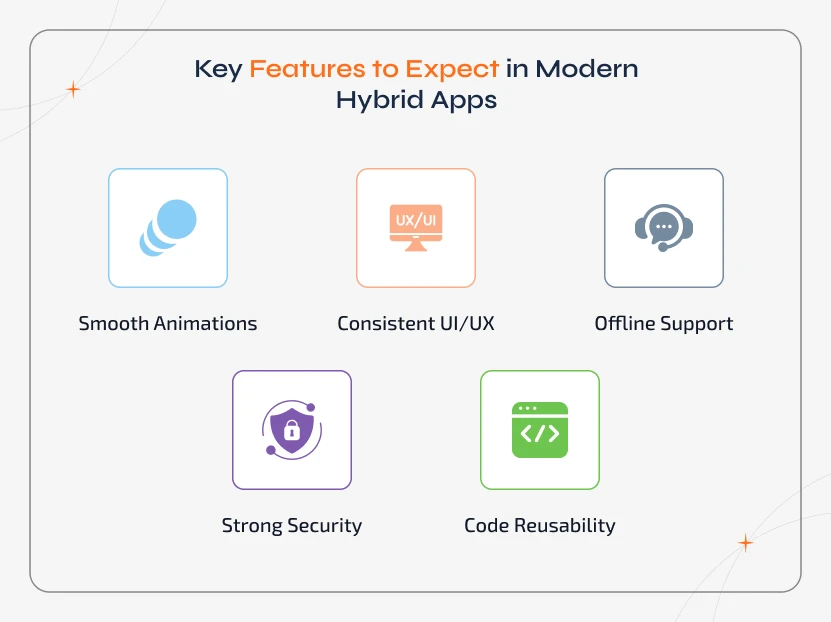
- It offers native-like performance with smooth animations and hardware acceleration.
- Has consistent UI/UX across iOS and Android using advanced cross-platform frameworks.
- It offers offline support, and thus users can continue using the app even without the internet.
- With strong security, it is possible to protect data and prevent unauthorized access.
- With cloud-ready architecture, hybrid apps offer real-time updates and easy scaling.
- With code reusability, existing web apps can be quickly transformed into full mobile apps.
Hybrid app development is becoming more than just wrapping a website inside a mobile shell. It is a next-generation approach that offers speed, performance, and flexibility together.
Leading Hybrid App Development Frameworks for Maximum ROI in 2026
Not all the hybrid frameworks are the same. Hence, choosing the right framework is the key to building mobile apps faster, scalable, and cost-efficient. Given below are the top hybrid frameworks leading the market in 2026, and we have discussed them with pros, cons, and use cases to help you make the right decision.
1. Flutter
Flutter is one of the most advanced hybrid app development frameworks that is used to build mobile, web, desktop, and embedded apps by using a single codebase. It is powered by Google and has a growing community. Flutter delivers native-like UI performance as it comes with a widget-based architecture and hardware-accelerated rendering.
It is widely chosen by start-ups that launched MVPs and enterprises that build visually polished digital products.
Pros & Cons:
| Pros | Cons |
|---|---|
| Native-like UI and performance | App size can be larger than native |
| Fast development with Hot Reload | Dart isn’t mainstream yet |
| Rich UI with customizable widgets | Deep native functionality may need custom plugins |
| Strong community & stable roadmap | Requires performance optimization for heavy apps |
| Multi-platform output (Mobile, Web, Desktop) | Learning curve for teams new to Flutter |
Performance & Scalability Insights:
- Flutter delivers 60–120 FPS performance on modern devices. Hence, it is suitable for animations and media-rich content.
- Offers improved memory handling and GPU-optimized rendering. It thus supports enterprise workloads & long-term scaling.
- Flutter works well with microservices, cloud-native architectures, & AI integrations.
Best Use Cases:
- Consumer apps with rich UI/animations.
- On-demand apps, eCommerce, & food delivery systems.
- FinTech apps need secure & smooth workflows.
- Apps that must run on multiple platforms from day one.
- MVPs that evolve into enterprise products.
Top Brands Using Flutter:
- Google Ads, BMW, Alibaba, eBay Motors, Toyota.
Why Choose Flutter in 2026:
Businesses can choose Flutter for
- Highly polished UI with fast iteration.
- Large-scale app growth without separate native builds.
- Web + Mobile + Desktop presence through one codebase.
- Future-ready engineering backed by Google.
Flutter is the best option for businesses focused on speed, scalability, & premium user experience
2. React Native
React Native is another popular open-source cross-platform framework from Meta (Facebook). It uses JavaScript and React to build mobile apps for both iOS and Android. It combines web development principles with native components to deliver fast performance and a familiar development experience.
It uses real native UI elements and hence apps developed using it will provide near native responsive and smooth performance. React Native features a vast ecosystem, libraries, and a community. Thus, businesses can get rapid development and continuous feature updates.
Pros & Cons:
| Pros | Cons |
|---|---|
| Reuses JavaScript skills + React components | Performance can lag for animation-heavy apps |
| Large ecosystem of plugins & libraries | Third-party libraries may cause compatibility issues |
| Strong community + Meta-backed | Requires native modules for advanced device features |
| Hot Reload = faster development cycle | UI consistency varies across iOS &Android |
| Easy hiring due to a huge talent pool | Learning curve for teams new to FluttApp size and performance need tuning for scalability |
Performance & Scalability Insights
- React Native comes with fluid rendering via native components. It continues to improve with the New Architecture (Fabric + TurboModules).
- Works for content-driven & transaction apps that need moderate animations.
- Scales with Modular architecture, cloud backends, & code splitting. Thus, it is ideal for long-term enterprise growth.
Best Use Cases:
- Social apps, messaging platforms, & marketplaces.
- eCommerce & service booking apps.
- Apps needing frequent updates & A/B testing.
- Cross-platform MVPs with fast launch goals.
- Teams are already using React for web.
Top Brands Using React Native
- Instagram, Facebook, Discord, Pinterest, & Shopify.
Why Choose React Native in 2026
React Native is the right choice if your business needs:
- Faster development with widely available developer talent.
- Continuous delivery and iteration.
- Integration flexibility with native modules when needed.
- Strong community support for long-term reliability.
It works for startups & product teams that innovate fast and want to reuse existing web expertise.
3. Ionic (Powered by Web Technologies)
Ionic is a widely used hybrid app development framework that is built on standard web technologies like HTML, CSS, and JavaScript. It works well with frontend frameworks such as Angular, React, and Vue. This makes it easy for web teams to build high-quality mobile apps without learning a new language.
It used a web-based rendering approach and has a rich library of pre-built UI components. Hence, Ionic is preferred for apps that need quick delivery, low mobile app maintenance costs, and multi-device support.
Pros & Cons:
| Pros | Cons |
|---|---|
| Uses standard web languages - easy talent availability | WebView performance may trail pure native UI |
| Large set of ready-to-use UI components | Heavy 3D/animation features may feel slower |
| Works with Angular, React & Vue | Some plugins require native support |
| Supports Mobile + Web + Desktop + PWAs | UI may vary slightly across devices |
| Strong documentation & community | Performance tuning needed for high-load apps |
Performance & Scalability:
- Ionic apps deliver better performance with modern rendering engines & improved Capacitor integrations.
- Offers better scalability for enterprise dashboards, workflow automation apps, internal productivity tools, etc.
- It is optimized for cloud-native applications, offline data sync, easy deployment, etc.
Best Use Cases:
- Business apps, CRM, ERP, Inventory, and HR systems.
- SaaS dashboards & data-driven solutions.
- Progressive Web Apps (PWAs) for multi-device access.
- Startups are converting existing web apps into mobile apps.
- Internal enterprise applications with secure access.
Top Brands Using Ionic:
- Microsoft, Panera Bread, Sworkit, NHS (UK), & Diesel.
Why Choose Ionic in 2026:
You can choose Ionic if you are looking for:
- Fast delivery using existing web developers.
- Affordable build and maintenance costs.
- Single UI for Mobile + Web + PWA distribution.
- Secure apps for internal and enterprise ecosystems.
Works best for businesses focused on efficiency, cost savings, & quick transformation using their current web expertise.
4. Xamarin/.NET MAUI (Microsoft Ecosystem)
Microsoft's flagship hybrid app development and cross-platform framework, Xamarin, has now evolved into .NET MAUI. It uses C# and .NET to build apps for Android, iOS, Windows, and macOS using a single codebase. As it complies with native code, Xamarin offers the best performance when it comes to enterprise and system-level apps.
It is the best option for those who have invested in the Microsoft ecosystem as it features tight integration into Azure services, Visual Studio, & Microsoft DevOps tools. The transition to .NET MAUI also brings a unified project structure, better UI controls, and improved performance.
Pros & Cons:
| Pros | Cons |
|---|---|
| Native-like performance with C# | Smaller developer community vs Flutter/React Native |
| Strong enterprise capabilities | Some libraries are still maturing after the MAUI migration |
| Full integration with Azure & Microsoft tools | Learning curve for teams new to C#/.NET |
| Secure, scalable backend compatibility | Mobile app maintenance requires experienced devs |
| Support for Mobile + Desktop | UI flexibility is less than Flutter for animations |
Performance & Scalability Insights:
- Those apps built using Xamarin/.NET MAUI run close to native speed, especially for processing-heavy workflows.
- With Microsoft's ongoing updates, the ecosystem is now optimized for enterprise-grade security, cloud-native + serverless architectures (Azure), and long-term scaling of mission-critical apps.
- It is ideal for businesses that can handle confidential data, heavy workflows, or offline-first enterprise operations.
Best Use Cases:
- Field service apps, logistics, maintenance workflows.
- Healthcare and finance apps with strict compliance needs.
- Enterprise mobility solutions for large teams.
- B2B tools that demand native integrations.
- Apps requiring secure authentication &backend automation.
Top Brands Using Xamarin:
- UPS, Alaska Airlines, American Cancer Society, BBC Good Food, Microsoft (internal apps).
Why Choose Xamarin/.NET MAUI:
It is best to use when your business already uses Microsoft tools and needs:
- High security + native-like performance.
- Deep device integrations (Bluetooth, IoT, biometrics).
- Azure-based cloud workflows and automated deployment.
- A long-term, enterprise-focused development framework.
This is the strongest hybrid choice for secure, large-scale, & compliance-driven enterprise apps.
5. Apache Cordova
It is one of the earliest hybrid mobile app frameworks that lets developers build apps using HTML, CSS, and JavaScript. Apache Cordova is the tool that made mobile development accessible to web teams. However, Cordova relies on WebView rendering and plugins for native features mostly, and this, in turn, limits the performance and scalability for modern applications.
While developers have shifted towards newer hybrid frameworks, Cordova is still used for small-scale apps, legacy maintenance, and basic utility apps that require minimal native requirements.
Pros & Cons:
| Pros | Cons |
|---|---|
| Uses standard web skills, easy to start | WebView reliance leads to lower performance |
| Large plugin ecosystem from years of usage | Not ideal for heavy animations or real-time apps |
| Simple to convert basic web apps to mobile | Plugin compatibility issues aren’t uncommon |
| Supports iOS + Android + others | Limited modernization and slower community growth |
Performance & Scalability Insights:
- Cordova apps can offer acceptable performance for lightweight workflows & content-focused applications.
- But for high user engagement, gaming, or enterprise-grade requirements, modern alternatives outperform it significantly.
- Cordova usage is declining as businesses require faster rendering, native-like UI, and long-term framework evolution.
Best Use Cases:
- Small internal utility tools.
- Simple content update apps.
- Basic informational apps for small businesses.
- Legacy projects are still active on Cordova.
Top Brands Using Cordova:
- TripCase, Localeur, FanReact.
Why Choose Apache Cordova:
Cordova is useful only if:
- You already have a Cordova app that needs updates.
- You need a very basic mobile presence with minimum functionality.
- You want the lowest learning curve & fastest web-to-app conversion.
Cordova is no longer a future-focused choice, but it remains useful for maintenance and simple app use cases.
6. NativeScript
It is a powerful hybrid/multi-platform app development framework used by developers to build truly native mobile apps using JavaScript or TypeScript without using WebView. NativeScript supports native iOS and Android APIs through JavaScript bridges. Thus, businesses can benefit by reusing web developer skills while still getting native-level performance.
NativeScript, being an open-source cross-platform mobile app framework, integrates with Angular and Vue, thus making it the best choice for hybrid teams that want to shift towards more native-focused mobile experiences. It is widely used to secure performance-critical enterprise apps where device hardware integration is important.
Pros & Cons:
| Pros | Cons |
|---|---|
| Direct access to native APIs (no WebView) | Smaller ecosystem vs Flutter/React Native |
| Native performance with reusable web skills | Some learning curve for native styling |
| Strong TypeScript support | Fewer ready-made UI components compared to Ionic |
| Works with Angular & Vue | Community evolving, depends on backing partners |
| Better for hardware-driven apps | Requires expertise to optimize app size/performance |
Performance & Scalability Insights:
NativeScript apps deliver real native rendering and are ideal for:
- Hardware-heavy features (Bluetooth, camera, NFC, & sensors).
- Smooth animations & background processing.
- Enterprise scalability with modular architecture.
- When stability & plugin quality are improved in 2026, it will become more enterprise-friendly than in earlier years.
Best Use Cases:
- IoT-based apps, GPS tracking, and real-time delivery apps.
- Healthcare, field service, inspection & operations tools.
- Apps requiring offline-first workflows + secure data storage.
- Apps with frequent hardware/OS-level interactions.
Top Brands Using NativeScript:
- SAP, PUMA, Swiss Army, Symantec.
Why Choose NativeScript:
Choose NativeScript if your product needs:
- Real native performance + native UI access.
- Deep device features & secure processing.
- No dependency on WebView limitations.
- TypeScript-friendly enterprise development.
It works best for organizations needing full hardware capability and hybrid development speed.
7. Unity
Unity is a world-leading game engine that has extended into hybrid mobile app development, where 3D visualization, real-time rendering, and AR/VR experiences are required. With C#, it helps developers build interactive, high-performance applications that run on iOS, Android, Web, and Desktop.
Apps developed with Unity can integrate with hybrid frameworks for UI navigation when Unity is used for visual and immersive modules. It offers hybrid flexibility and native-level speed, and hence it is ideal for industries like gaming, retail, training, and simulation apps. Unity's scalable architecture supports cloud streaming and asset optimization for enterprise deployment.
Pros & Cons:
| Pros | Cons |
|---|---|
| Best performance for 3D / immersive apps | Overkill for simple content-driven apps |
| AR/VR ready with Unity XR & plugins | Larger app size vs other frameworks |
| Multi-platform deployment support | Steeper learning curve |
| Huge plugin ecosystem & support | Requires powerful player devices |
| Ideal for gamification, training & visual apps | Development + maintenance costs can be higher |
Performance & Scalability Insights:
- Unity apps ensure to deliver high FPS real-time graphics that are optimized for AR navigation, 3D catalogs, etc.
- It works for gamified onboarding and training apps.
- Supports industrial workflow simulations.
Best Use Cases:
- AR shopping & try-on apps.
- Training & skill development apps.
- 3D product configurators & virtual showrooms.
- Real estate visualization & walkthroughs.
- Gamification in EdTech, HealthTech, & Retail.
Top Brands Using Unity:
- Pokemon Go (via Unity engine), IKEA Place, Tesla visual tools, Ubisoft (mobile apps & companion tools).
Why Choose Unity:
- Choose Unity if your hybrid app involves:.
- 3D graphics, AR/VR interactions, simulations.
- Immersive product experiences to boost engagement.
- Real-time visualization + fast rendering.
- Multi-device deployment across Mobile + Web + AR devices.
- It works best for experience-led apps where visuals and interactivity are core to business success.
8. Kotlin Multiplatform Mobile (KMM by JetBrains)
KMM is a cross-platform mobile development framework that helps developers share business logic, networking, and data layers across iOS and Android. It helps build truly native UIs for each platform. Unlike other hybrid app development frameworks that use WebView or custom rendering engines, KMM offers full native performance & native UI flexibility as it handles shared core logic.
KMM is one of the highly preferred choices for enterprises building long-term, scalable mobile products.
Pros & Cons:
| Pros | Cons |
|---|---|
| Native performance with shared logic | UI must be built separately for each OS |
| Full access to native APIs | More effort than full hybrid (single UI) solutions |
| Works seamlessly with the Android ecosystem | Requires iOS expertise for UI development |
| Reduced maintenance + faster feature sync | Smaller community compared to RN/Flutter |
| Ideal for enterprise-level architecture | Tools still evolving for large UI codebases |
Performance & Scalability Insights:
KMM apps offer 100% native performance and thus making it ideal for: high-load mobile applications, data-sensitive workflows, and large feature sets requiring smooth performance. It offers secure backend integrations & modular scaling. With architecture improvements in 2026, it becomes highly useful for testing, better memory safety, and clean code sharing across platforms.
Best Use Cases:
- Banking & finance apps with stricter compliance.
- E-commerce platforms with heavy traffic.
- Communication & media apps need a smooth UX.
- Established products scaling across platforms.
- Apps requiring native UI for platform-specific branding.
Top Brands Using KMM:
- Netflix, Philips, VMware, CashApp.
Why Choose Kotlin Multiplatform Mobile:
Choose KMM if you need:
- Native-level performance with code reuse.
- Reliable structure for long-term product evolution.
- Shared logic for faster alignments on both iOS & Android.
- Developer productivity using the same Kotlin codebase.
It works best for businesses prioritizing scalability, security, and premium native experiences while reducing duplicate effort.
How to Choose the Right Hybrid App Framework in 2026
Choosing the right framework is not just about the technology; it is all about aligning your business goals, timeline, and long-term product roadmap with the right development approach. You shall start by finding out what matters the most to your app.
| Priority | Best Framework | Why |
|---|---|---|
| Stunning UI, animations & native-fluid performance | Flutter | Customizable widgets + fast rendering create a premium UX |
| Fast development & access to a huge JavaScript ecosystem | React Native | Reuse web expertise, large library & plugin support |
| Lowest budget & speed to validate your idea (MVPs) | Ionic | Built with web tech → low cost, rapid rollout |
| Enterprise-level security & integration with the Microsoft stack | Xamarin / .NET MAUI | Ideal for corporate systems, legacy apps, and Azure integrations |
| High performance + future-proof native flexibility | Kotlin Multiplatform | Common logic sharing + native UI freedom where needed |
Apart from the above, businesses can consider the additional factors before finalizing their choice of framework by evaluating:
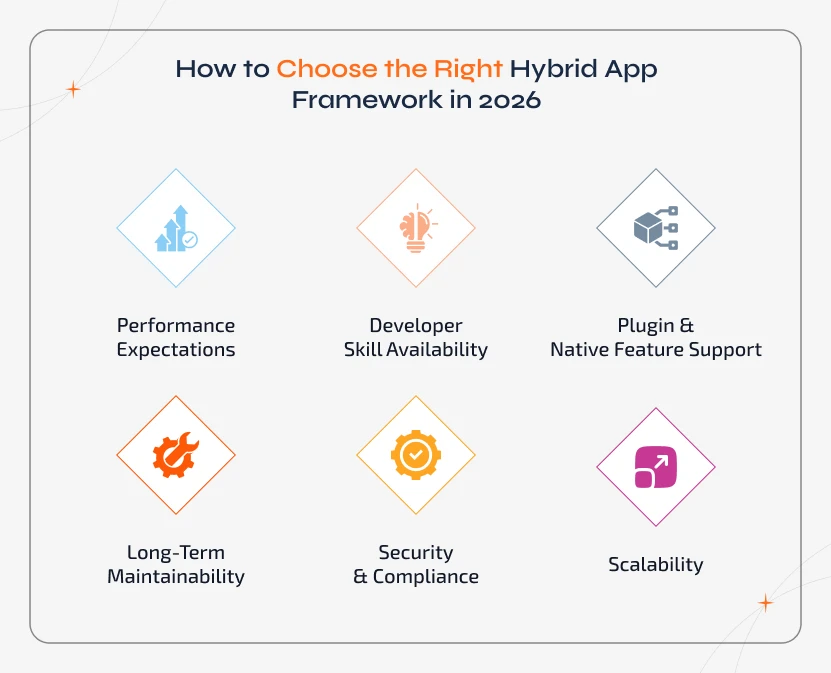
1. Performance Expectations
Decide on the tool based on whether your app is simple, content-driven, or requires advanced animations, AR gaming, or heavy graphics.
2. Developer Skill Availability
Choose the tool based on whether you already have JavaScript/web developers with React Native/Ionic or native experts to work on Flutter, Xamarin, or Kotlin.
3. Plugin & Native Feature Support
OrThe more native interactions you need, the more robust the framework should be. Choose based on how often your app will use the camera, Bluetooth. GPS, biometrics, background services, etc.
4. Long-Term Maintainability
In order to avoid technical debt later, it is better to choose a framework based on how actively it is updated, strong community support, and long-term vendor backing.
5. Security & Compliance
Choose a framework based on how your enterprise apps may require stricter controls to handle financial data, personal identity, and enterprise systems.
6. Scalability
Pick a framework that is ready for multi-platform scalability. Decide on if you will later build for web, desktop, or wearables and smart TV using the same codebase.
If you are still not sure about picking up the right hybrid app framework, then you should get a technical assistant from a trusted mobile enterprise application development company like Sparkout. We will help you balance innovation with practicality to ensure the framework you choose supports your long-term product success. With us, you shall also get a cost or performance comparison and get to choose the best tech for your timeline and ROI.
Need Help Choosing the Perfect Hybrid Framework?
At Sparkout, our experts analyze your product goals, performance needs, budget, & roadmap to recommend the smartest hybrid tech stack for maximum ROI.
The Advantages & Trade-Offs of Hybrid App Development Every Business Must Know
With hybrid app development, you will get major speed and cost benefits. However, like any other technology, it does come with certain limitations. Getting to know both sides will help you make smarter and future-ready decisions tailored to your app's goals, performance needs, and budget.
| Pros | Cons |
|---|---|
| Launch apps faster on both iOS & Android | Performance may not always match fully native apps |
| Reduce development cost by 40–60% using one codebase | Some features depend on 3rd-party or native plugins |
| Easy to maintain, update, and roll out new features | UI may need fine-tuning to look identical across devices |
| Reach a wider audience quickly, one build for many platforms | Advanced hardware features may require native development |
Common Challenges Involved in Hybrid App Development & How to Solve Them
Issue 1:
A Hybrid app can come across performance bottlenecks at times, and this is especially happen when handling heavy animations and data loads.
- Solution: This can be improved further with hardware-accelerated rendering, proper caching, and performance optimization.
Issue 2:
As apps rely on WebView, UI behaviour varies slightly on different devices.
- Solution: This can be resolved by using a modern framework with a native bridge like Flutter, React Native, or Capacitor. With this, you will be able to get a more consistent experience.
Issue 3:
Many times, security can become a concern when handled only at the web layer.
- Solution: Data can be protected, and this issue can be fixed by applying native-level encryption, secure storage, and device-based authentication.
Issue 4:
You will find that some of the advanced hardware features are not fully supported through the standard plugins.
- Solution: This can be resolved if developers can build custom native modules to access the device capabilities to the fullest. .
Issue 5:
Receiving a consistent user experience across iOS and Android often requires careful attention based on each platform's design patterns.
- Solution: Upon following platform guidelines, it is possible to ensure people experience native performance on whichever device they use.
Best Practices to Follow for Hybrid App Development in 2026
To build fast, future-ready, and easy-to-scale Hybrid apps, it is essential to focus on the following practices:
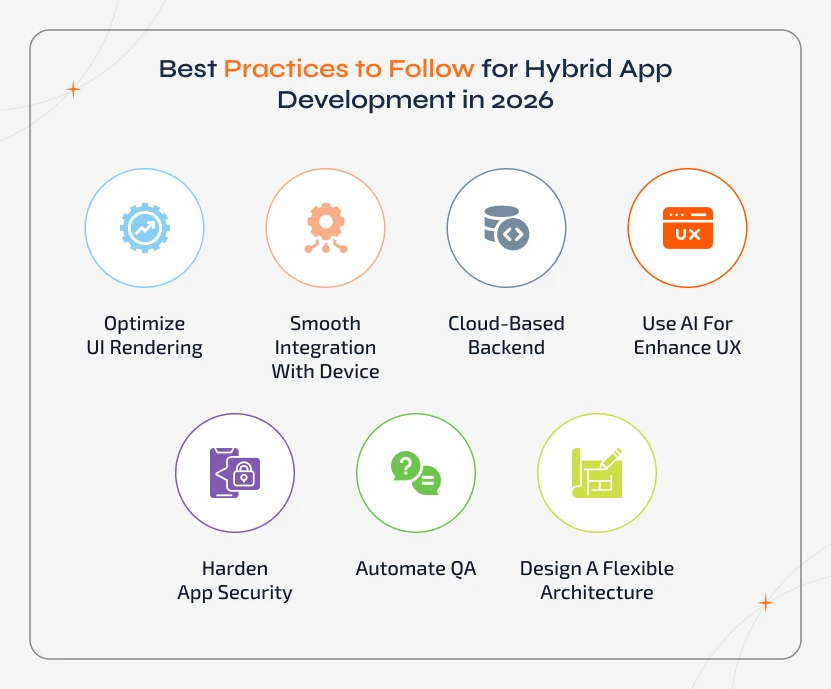
- It is better to optimize UI rendering and avoid heavy DOM operations that slow down the animation or interactions.
- To ensure smooth integration with device features, it is essential to choose reliable native plugins backed by an active community.
- Ideally, using cloud-based backends works for real-time sync, high availability, and global scalability.
- For an enhanced user experience, it is good to adopt AI-powered features like personalization, chatbots, or smart search.
- Harden app security via encrypted data, secure storage, and regular penetration testing.
- You can automate QA with multi-device testing to ensure consistent performance across OS versions.
- It is better to design a flexible architecture to make the app evolve with new UI patterns and platforms over time.
At the core, a strong hybrid app must always deliver speed, stability, scalability, and security. With these four factors as pillars, your application not just launches faster, but also continues to perform and grow as your business and user needs increase.
Build Hybrid Apps That Scale Without Limits
Follow the best practices to build fast, secure, and scalable hybrid apps that deliver great performance on every device.
Conclusion
Hybrid app development has evolved into a powerful strategy for business growth in 2026. It is not about just reducing the development costs; rather, modern hybrid apps ensure to deliver native-like performance and come with enterprise-grade security to work on multiple platforms. By choosing the best frameworks and cloud-ready architecture, it is possible for the hybrid apps to innovate faster and scale without limitations.
In 2026, hybrid app development is expected to accelerate time-to-market, reach iOS & Android users, optimize costs, and deliver reliable experiences.