


A development journey in UI/UX design unfolds in an era of rapid technological advancement, where the field is evolving faster than ever before. Here we are plunged into the fascinating design world using advanced AI technology, and new changes follow every innovation. The fusion of AI for UI/UX design interface transforms how we perceive the digital experience.
If we look back at the journey of the design interface, we know how high we are now and how much higher we can go. Artificial intelligence in UI UX development and design paves the way for intuitive flows, personalized instructions, and seamless interactions. In one shot, AI provides you with a tailor-made experience that feels like a complete solution built for users.
In this piece of writing, let's dive into the AI revolution of UI/UX design innovation, explore its impact on the industry, and its potential for the future.
A Brief Understanding of AI in UI UX Design
AI in UX/UI design involves using machine learning algorithms, natural language processing, and other AI technologies to provide personalized suggestions and contextually relevant content, streamlining complex tasks, and improving overall usability. The symphonic interplay of AI in UI/UX design has ushered in an era of unparalleled possibilities and transformative design thinking.
By using smart automation, it anticipates and learn from user interactions to give tailored experiences that feel natural and intuitive. From predicting user intent to suggesting layout optimizations, AI transforms raw data into actionable insights, empowering designers to focus on creativity and strategic thinking.
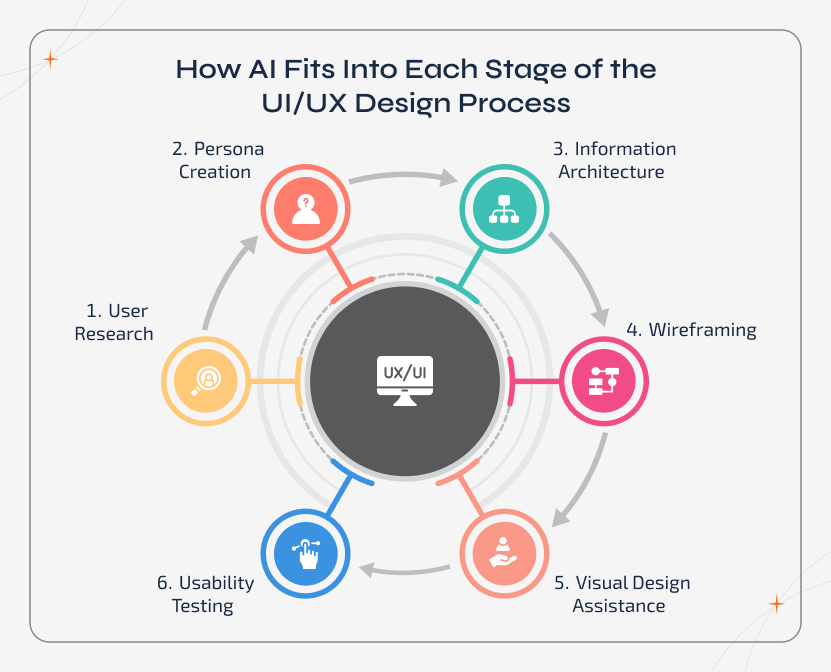
How AI Fits Into Each Stage of the UI/UX Design Process
As for now, AI doesn't replace designers, it just supports them at the corresponding stage of the UI/UX journey. Here are the key areas where AI supports designers throughout the UI/UX workflow.
AI in User Research
By implementing AI, businesses can speed up user
research by analyzing large volumes of behaviour data, feedback session recordings, and usage
patterns. So, this reduces the manual data digging process and helps users get clear insights into
pain points and user intent at an early stage in the process.
AI in Persona Creation
Instead of relying on just assumptions, AI builds
personas based on real user interactions and behaviour clusters. These personas will evolve over
time as the user behaviour alters. This helps teams design for actual usage instead of static
profiles.
AI in Information Architecture
Artificial Intelligence actually studies
how users navigate an application, what they actually search for, and why they drop off. Based on
these insights, it suggests better content structures, menu layouts, and appropriate user flows that
feel more intuitive and does reduce friction.
AI in Wireframing
It assists UI UX designers by generating layout
suggestions and basic wireframes based on user flows and functional requirements. This helps teams
to explore multiple layout options quickly and focus more on refining ideas rather than starting
everything from scratch.
AI in Visual Design Assistance
AI supports visual decisions by
recommending typography, spacing, colour palettes, and component consistency, which is being aligned
with usability and brand guidelines. With this, the business can maintain design harmony while
giving designers a solid starting point.
AI in Usability Testing
They analyze user
interactions through click behaviour, error tracking, heatmaps, and session replays. This highlights
usability issues much earlier and allows teams to fix friction points faster and iterate confidently
before the release.

Quick Info!
A Simple Learning Path to Use AI in UI UX:
➡ Start with AI Research ➡ Create AI-Powered Personas ➡ Move to Wireframes ➡ AI Visual Design Assistance ➡ Focus on AI Testing.
Secret Keys to Use AI in UX Designs
Here are some quick tips to use AI to level up your UX designs. Discover how exactly AI can help you understand users, speed up workflows, and craft experiences that truly connect.
- Data-driven insights: AI algorithms analyze user data to generate insights that inform design decisions.
- User research and testing: Automates research and provides feedback for optimizing designs through sentiment and intent analysis.
- Design processes automation: AI automates design tasks, freeing up designers to focus on creative work.
- Accessibility Enhancement: Enhancing website accessibility for people with disabilities through text-to-speech, voice-based interactions, and diverse interfaces.
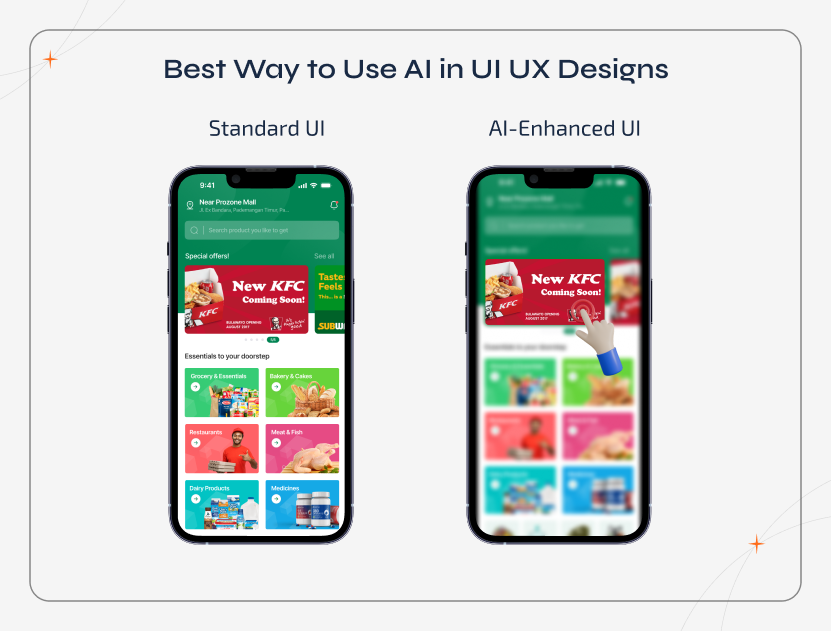
Best Way to Use AI in UI UX Designs
AI enhances UI UX design by supporting workflows, boosting creativity, and helping teams make smarter and smarter design decisions. Here are some of the best ways you can use AI in UI UX designs.
Personalization
AI can personalize experiences by adapting content,
recommendations, and UI based on user data, boosting engagement.
Automated Content Generation
Automation of content creation, like product
descriptions, chatbot responses, and personalized recommendations.
Prototype Generation
AI can automate prototyping by generating
interactive prototypes based on wireframes or designs, enabling faster iteration and testing.
Design Assistance
The design assistant feature can provide real-time
suggestions, helping designers create better designs.
Visual Design Generation
AI can generate design elements like colour
palettes, typography, and icons based on user preferences and
UI UX design trends.
Behaviour-Based Interaction
Most music platforms uses Ai to subtly adjust
playlists or button placements based on engagement patterns, improving usability and retention.
Predictive Layout Testing
Ride-hailing services like
Uber employ AI to simulate how exactly users navigate screens and predict friction points before the
design goes live.
How AI Strengthens Product Decision-Making in UI UX Design
The design decisions are no longer driven only by intuition. After the introduction of AI, it brings clarity by grounding UI/UX choices in real user behaviour and measurable signals.
Smarter Design Trade-Offs
When the resources are only limited, AI helps
teams compare design alternatives based on predicted outcomes. It supports informed trade-offs
between performance, usability, and visual complexity without slowing down the design process.
Reduced Guesswork in Roadmaps
By learning from user data continuously, AI
surfaces trends much earlier. This allows teams to adjust roadmaps proactively, ensuring that UI/UX
decisions align with the evolving user needs and business goals.
Faster Feature Prioritization
AI analyzes drop-offs,
feature interactions, and usage patterns to highlight what exactly users value the most. This helps
product teams to prioritize features that deliver impact, rather than spending time on assumptions.
Potential Benefits of AI-Infused UX Designs
AI is transforming UI/UX design by making the interface smarter, more personalized, and more efficient. These benefits will highlight how AI helps teams to craft engaging, data-driven experiences that delight users and drive tangible business results.
Innovative Design Ideas
Once you implement AI in UI UX design, it
analyzes user behaviour, interaction patterns, and market trends to inspire creative solutions.
For example, UXPin uses Artificial Intelligence to suggest layout improvements and component placements, helping designers to create unique and user-focused experiences even faster.
Increased Efficiency
Repetitive and time-consuming tasks like generating
design variations, testing multiple flows, and analyzing session recordings can be automated with
AI. Advanced tools like InVision can speed up prototyping and iteration, allowing designers to focus
on high-value work.
Personalized User Experience
By continuously learning from individual
user preferences and behaviour, AI enables dynamic interfaces that feels custom made. Many platforms
leverages AI to adjust dashboards or highlight content based on user activity, which keeps the
engagement high.
Smarter Decision-Making
Continuous feedback loops, predictive analytics,
and AI-powered insights help your internal teams to identify friction points too early. This makes
sure that the design decisions are data-driven and improve overall usability, boosting user
satisfaction.
Scalable & Consistent Designs
AI supports
large-scale projects by ensuring consistency in layouts, typography, and interaction patterns. AI
tools can maintain design coherence across multiple screens while allowing rapid iteration and
scaling for enterprise-level UI UX design mobile applications.
AI Tools That Support Real UI/UX Design Work
AI tools are actually transforming how designers work by automating tasks, generating ideas, and analyzing user behaviour. In this section, we explore popular tools and how exactly they support real UI UX design workflows.
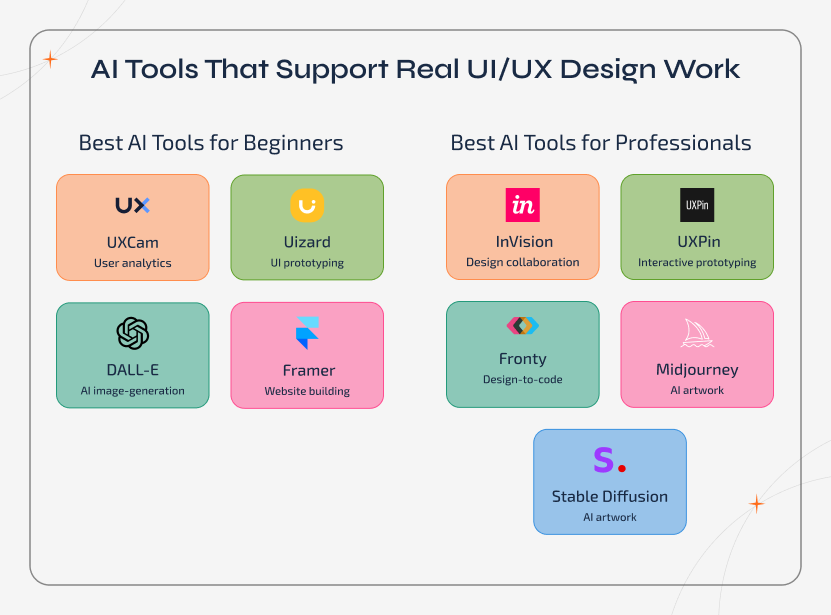
Best AI Tools for Beginners
🛠 UXCam helps teams understand the real user behaviour by conducting a thorough analysis, in-app iteration, and usability validation.
🛠 Uizard turns text prompts and sketches into wireframes and UI screens, which accelerates early-stage ideation and prototyping.
🛠 DALL-E can create custom visuals and UI elements on demand, helping teams quickly test creative directions.
🛠 Framer uses Artificial Intelligence to boost up layout creation and responsive design. This helps designers move from concept to high-fidelity visuals even faster.
Best AI Tools for Professionals
You can go with the following tools if you're a professional who needs to quickly implement AI in your UI UX design.
🛠 InVision supports AI-assisted prototyping and feedback by enabling quicker design iteration, collaboration, and usability validation.
🛠 UXPin allows your designers to create interactive and logic-driven prototypes that mirror real product behaviour even before development begins.
🛠 Fronty converts visual designs into perfect and clean CSS and HTML, which minimizes the gap between design and development.
🛠 Midjourney will assist you with visual exploration by generating design concepts, illustrations, and style references based on prompts.
🛠 Stable Diffusion gives designers full control over AI-generated imagery for branding, visuals, and interface experimentation.
Real-Life Example: How Netflix Uses AI to Fix UX Friction
Back in the days, Netflix faced a major UX challenge. Due to this, the users were overwhelmed by the content and often dropped off without deciding what to watch. Too many choices, repetitive browsing, and decision fatigue did hurt the engagement.
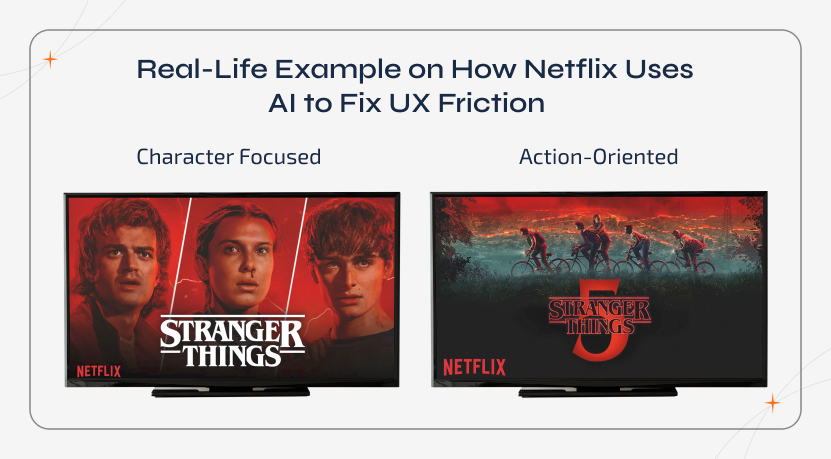
To rectify this, Netflix applied an AI-driven UX design strategy by analyzing users' viewing history, scrolling behaviour, watch time, and interaction patterns. AI dynamically personalizes the UI for each user, including the art selection, content ranking, and layout ordering. Even thumbnails change based on individual preferences.
After implementing this AI-powered UX approach, it reduces friction, boosts decision-making, and makes the interface feel more intuitive, keeping users engaged much longer without redesigning the entire app manually.
How Designers Must Work Alongside AI to Get Real Value
AI is one of the most effective technologies only when the designers treat it as a collaborator, and not as a complete replacement. The primary goal is not to hand over creative control, but to use it reasonably to eliminate friction, validate decisions, and free up time for deeper thinking.
Use AI to Explore, Not Decide
AI is actually a great way to generate
options, patterns, and early ideas. The designers should utilize AI to explore possibilities
quickly, then apply human judgment to choose what actually fits the user and product.
Stay in Control of Context & Intent
Even though AI can gather insights,
it doesn't understand the brand's layers, emotional cues, and business priorities. Your designers
are the ones who are responsible for defining the problem clearly and guiding AI with the right
inputs to avoid generic outcomes.
Validate Instincts With Data
Receiving a great design isn't just about
instinct anymore. In today's landscape, AI supports creative judgment with real user data, helping
teams to validate ideas, catch blind spots, and march forward with absolute confidence.
Focus Creativity Where It Matters Most
By allowing
AI to handle repetitive tasks like data analysis or layout suggestions, designers can spend more
time on storytelling, interaction design, and creating experiences that feel more human.
Challenges with AI in UX/UI Design
Like two sides to a coin, there are potential benefits and downsides of AI integration in UI/UX designs.
Constant Learning and Skill Development
UI/UX designers must stay updated
with the latest tools, techniques, and trends of AI as its technology advances. It is essential to
continuously learn and develop skills to effectively utilize AI tools and integrate them into the
design process.
Tackling Biases and Limitations
AI models can be biased due to
limitations in training data. Machine learning algorithms minimize the subjective interpretation of
data by humans and learn to consider only variables that enhance their predictive accuracy.
Stabilizing Human Creativity with AI Assistance
Designers need to find a
balance between using AI to assist their creative process and maintaining their input. This is
important to create designs that are unique and impactful. To achieve this balance, designers must
consider their intuition and be open to AI suggestions. This helps them to create designs that are
both original and effective.
Ethical Considerations
Designers should keep in mind
privacy, data security, algorithm transparency, and ethical design practices. They should prioritize
the responsible use of AI and protect user privacy.
Pros & Cons of AI in UI/UX Design
Even though AI speeds up workflows and personalizes experiences, human creativity and ethical oversight remain essential. This section covers both the pros and cons of implementing AI in UI UX design.
| Pros | Cons |
|---|---|
| It boosts hectic and repetitive tasks like prototyping, layout suggestions, and testing | Can't completely replace human creativity and intuition |
| Analyzes user data to uncover patterns and insights much more quickly | It lacks understanding of context, culture, and brand voice |
| Predicts usability UI UX design mistakes and friction points before proceeding with testing | Always needs human oversight for ethical design and accessibility |
| Supports data-driven personalization to improve user engagement | The final design decisions and emotional impact remain designer-controlled |
Unveiling the Future of AI-Enriched UI/UX Designs
As we propel into the current AI revolution, it's impossible not to wonder about the future. AI is the mind-reading wizard behind the screen, proactively driving interactions and enhanced user experiences to lead to increased user satisfaction, which drives growth. In the ever-evolving canvas of UI/UX design, embracing the transformative potential of AI is not just a choice but a necessity.
AI is pushing the limits of creativity, efficiency, and personalization, and is witnessing a remarkable collaboration between human ingenuity and technological advancement. The use of AI can encourage designers to go beyond traditional constraints and create experiences that reverberate with users, anticipate their needs, and deliver enjoyable experiences.
AI for UI/UX designs opens the limitless possibilities of our imagination. Currently, virtual reality and augmented reality, who knows what's next? The only certainty is that the AI- enriched UI/UX design promises more excitement, more innovation, and more delightful user experiences.
It's Time for Buckling Up the AI in UI/UX Designs
The sublime fusion of AI in UI/UX design has resulted in significant progress and opportunities. AI-powered UX design enables designers to create customized and user-friendly experiences by utilizing data-driven insights, streamlining design processes, and improving accessibility. On the other hand, AI-powered UI design enhances the visual and interactive components of interfaces, providing advantages such as personalization, automated content creation, and prototype development.
When working with AI in design, there are both benefits and challenges. Designers need to keep up with the latest AI developments through ongoing learning and skill development. They also need to be mindful of potential biases, limitations, and ethical considerations that come with AI systems. UX/UI designers can use AI technology to create engaging and user- centric experiences. As technology advances, designers who work with AI will lead the way to creating new levels of user experience.
As AI-powered UI/UX designs are adopted, it becomes clear that strategic partnerships with white-labeled AI apps and UI/UX design agencies must be pioneered to harness the potential of AI. Sparkout Tech is a beacon of excellence and a one-stop solution for UI/UX design, incorporating advanced AI technology.
Ready to Design Smarter Experiences With AI?
Partner with UI/UX experts from Sparkout who blend human creativity with AI-driven insights to build interfaces that users really love.