


In today's landscape, over 70% of IT budgets get swallowed by legacy systems. This is exactly where legacy system modernization and migration proves it's no longer just some tech upgrade, it's more like a reality check. When your software systems are old, they become slow and too expensive to maintain. Due to this, everything in the business slows down, and teams get stuck fixing the recurring problems instead of building new things with their innovation.
Legacy system migration, on the other hand, is the solution to all the software-related problems. It is an evolving tech that holds you back and into systems that actually help you move forward without headaches. This informative guide shows you exactly how to make the digital transformation strategy in the right way.
What is a Legacy System Migration?
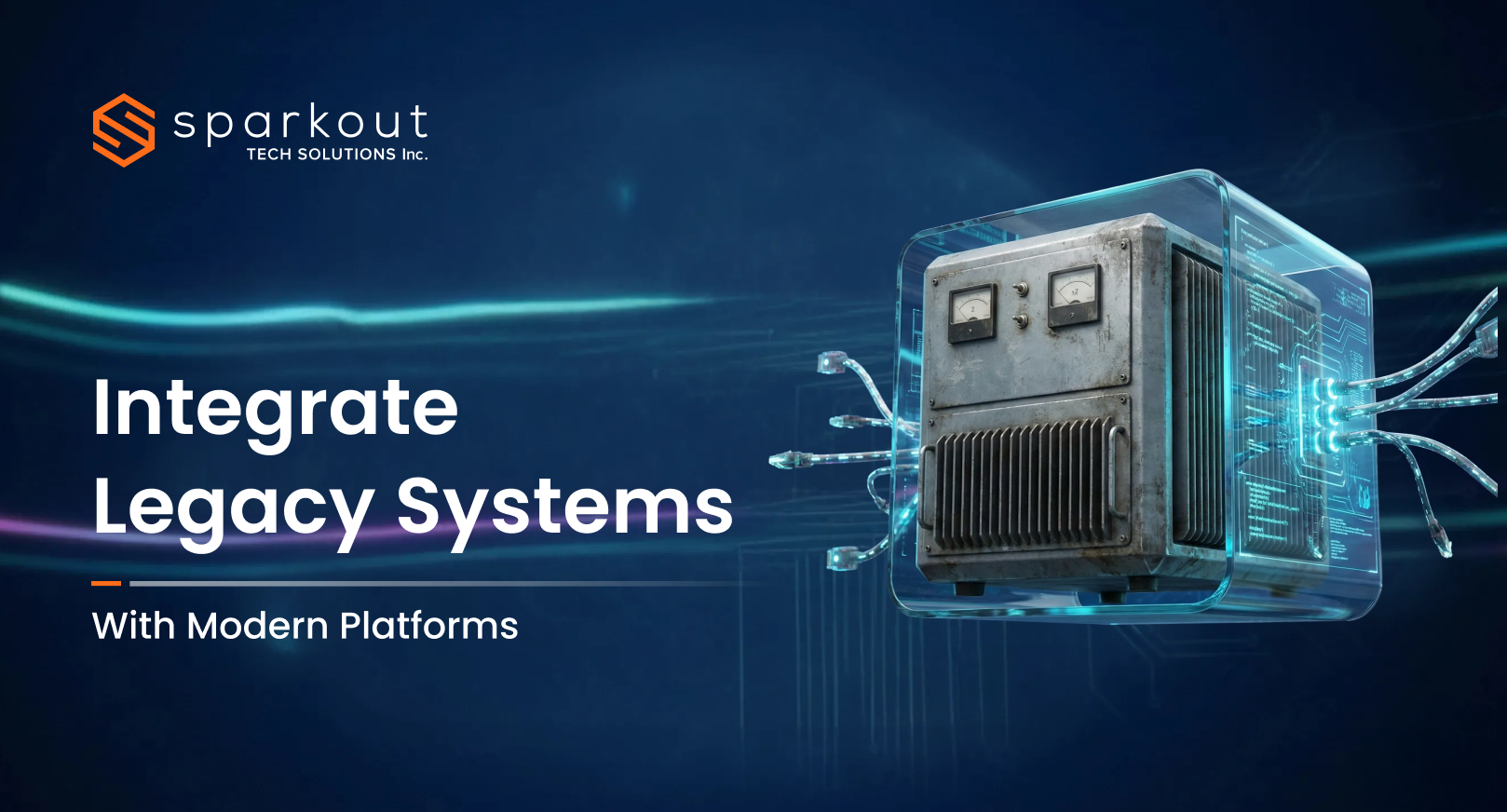
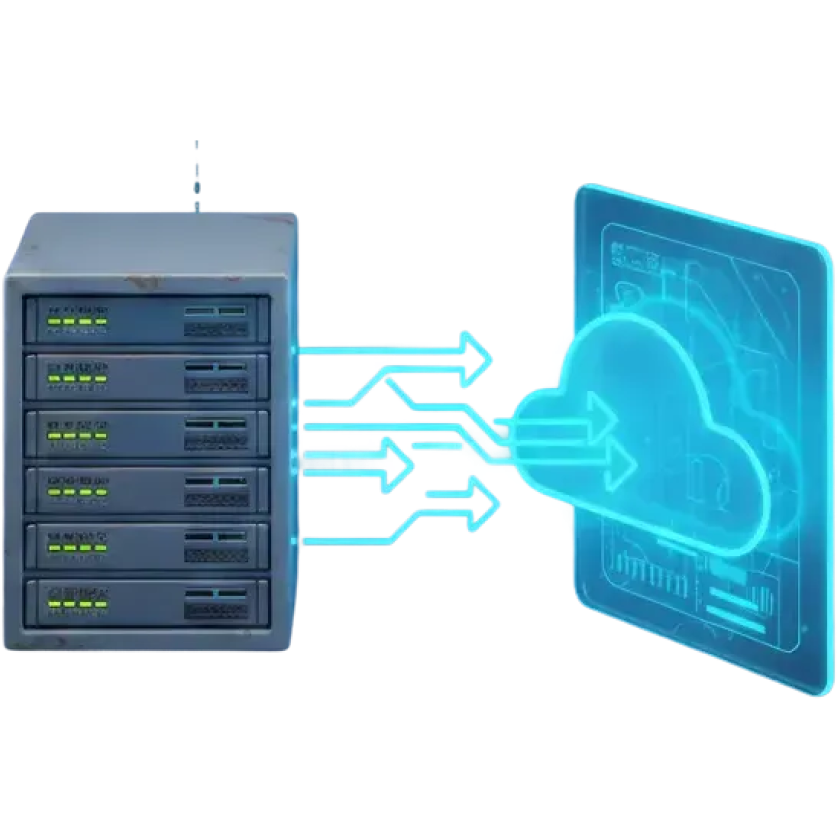
Legacy system migration is the process of moving old or outdated applications, software, and infrastructure to modern platforms, architectures, or cloud environments. This possibly includes legacy application migration and legacy software migration, depending on the system type.
Instead of dealing with slow software, regular bugs, and systems that are really hard to scale, system migration helps you move to platforms that are faster and safer. After a perfect migration, you can experience better performance, smoother operations, and a reliable tech that works well with your business.
What is the Purpose of Migrating Legacy Systems?
Migrating legacy systems isn't just about the change for the sake of change. It's more about eliminating what holds your business back and replacing it with systems that help to march forward. Here are the main purposes of migrating outdated systems and integrating it to a modern system.
⮚ Get rid of the old and clunky technology that slows everything down and creates headaches.
⮚ Stop spending money and spending time on maintaining fragile systems that are hard to fix and scale.
⮚ Make every business day work smoother and faster for teams and customers with legacy system integration.
⮚ Stay safer by staying away from outdated and insecure platforms that put data at risk.
⮚ Evolve without the fear of system crashes when business scales.
⮚ Build a robust and future-ready tech foundation that supports business.
Legacy System Migration Strategy (The 6R Framework)
Even though migrating a legacy system feels messy, carrying out the process with the 6Rs framework makes things simple. From migrating systems to as it is to retiring outdated tech, each type of legacy system migration is a clear path towards legacy system modernization.
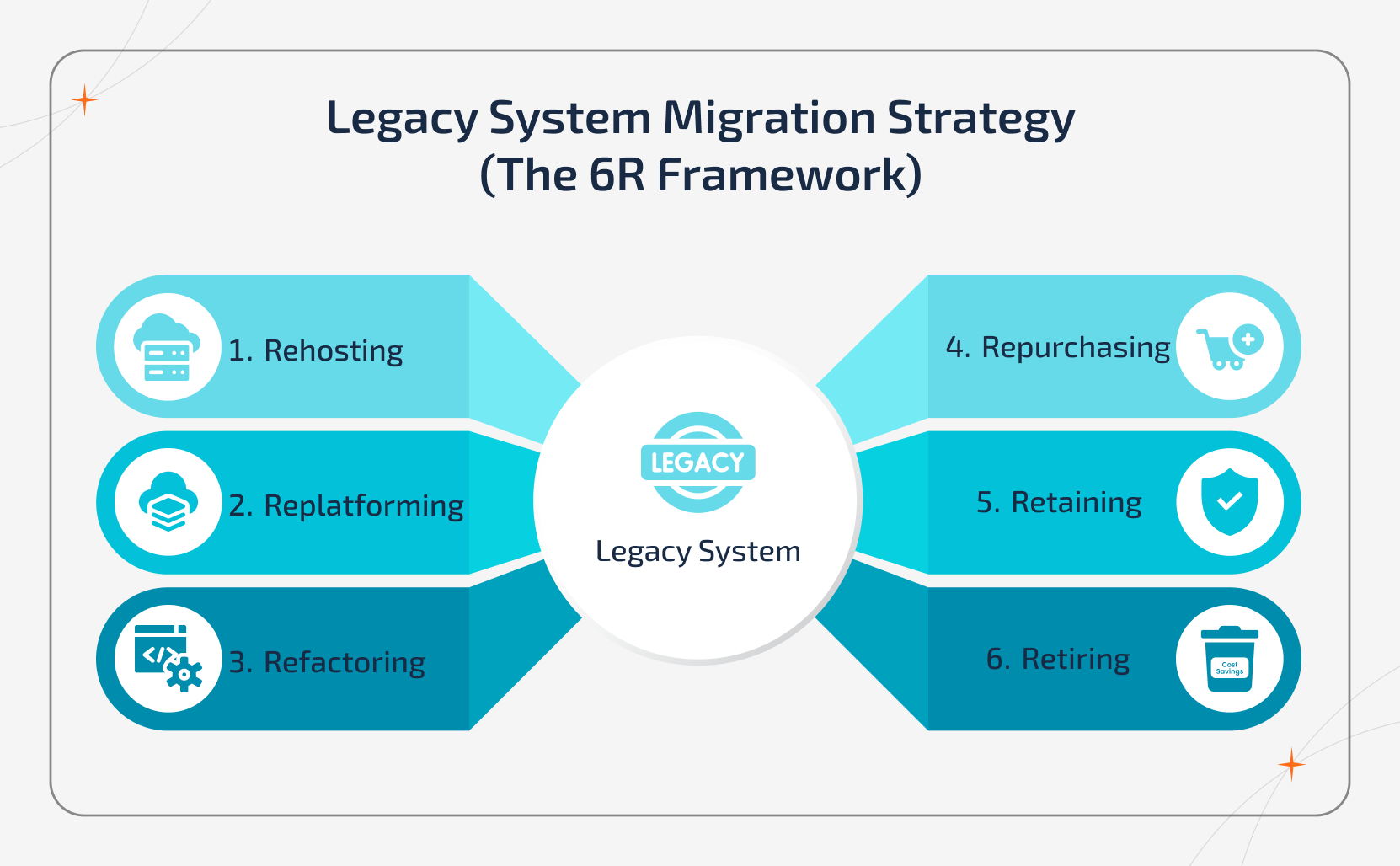
Rehosting (Lift & Shift)
This is basically choosing your outdated system and moving it somewhere else that is new, usually the cloud. With this methodology, the process is carried out quickly and simply, and it gets you out of the old environment without headaches.
Replatforming
Here, you actually move your system alongside giving a little tune-up along the way, which possibly includes boosting performance, fixing stability issues, and making it more scalable without rebuilding everything.
Refactoring
This is where the actual glow-up begins. Here, you redesign and rebuild the system from scratch using modern tech so it can be fast and ready for whatever the future throws at you.
Repurchasing
Sometimes, it's better to ditch the old system aside and purchase a ready-made solution instead. Off-the-shelf or SaaS products can easily replace the outdated systems without migration, but increase cost.
Retaining
Not each single one of the systems needs to move at the same time. Some are stable, critical, or too risky to interfere. So, you keep things running until the right time pops up.
Retiring
In some cases, certain systems just need to go. If they're not adding any value or create only clutter, shutting them down will be a good option. This cleans up your tech and makes things easier for everyone.
Legacy System Migration vs Legacy System Modernization: Know the Differences
The following comparison highlights how exactly migration and modernization serve different goals in the digital transformation. Understanding the differences can help you pick the right approach based on business needs.
| Aspect | Legacy System Migration | Legacy System Modernization |
|---|---|---|
| Core Focus | Moving existing systems, data, and apps to a new platform | Redesigning and transforming systems to meet the modern business needs |
| Business Impact | Improves performance and infrastructure without interfering with the core system | Changes how exactly the business operates and delivers services |
| System Structure | Largely preserves the original architecture | Rebuilds the architecture entirely for long-term growth |
| Transformation Level | Low to moderate change | Deep and structural transformation |
| Innovation Enablement | It enables basic modernization and stability | This enables automation, innovation, and digital transformation |
Step-by-Step Legacy System Migration Process
Moving from an old system to a new one isn't a piece of cake. A clear step-by-step approach helps you migrate safely, avoid downtime, and set your business up for growth.
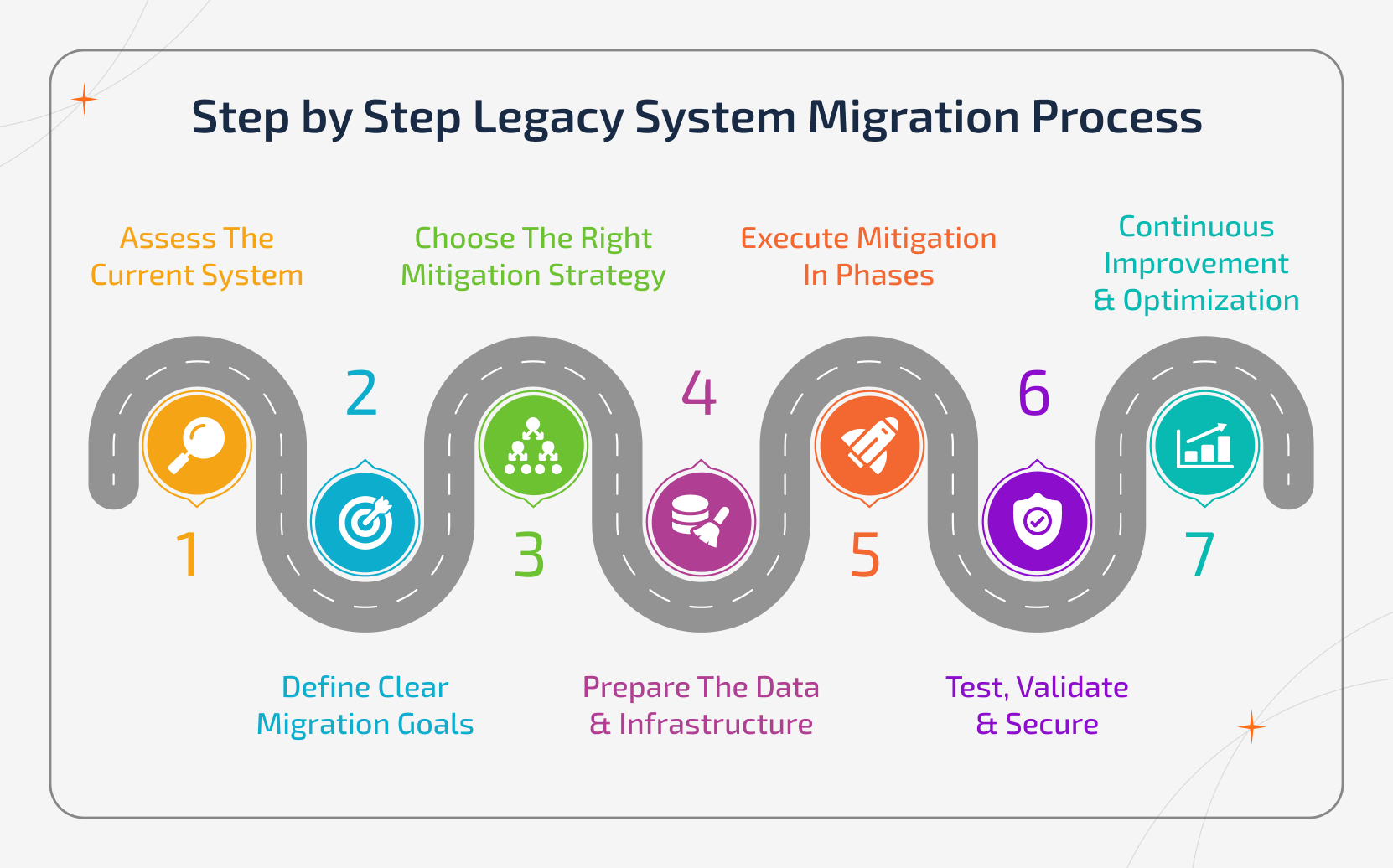
Step 1: Assess the Current System
Start the migration process with the system you actually have. Identify what's actually working, what's broken, what's more critical, and what's holding the business back.
Step 2: Define Clear Migration Goals
Set simple, yet realistic goals. This possibly includes better performance, scalability, lower costs, robust security, and faster operations. This will keep the migration on track instead of chaos.
Step 3: Choose the Right Mitigation Strategy
Pick up the right mitigation approach (Rehost, Replatform, Refactor, Repurchase, Retain, or Retire) based upon the business needs, potential risks, and long-term vision.
Step 4: Prepare the Data & Infrastructure
Clean up your data, fix flaws, and get the new environment ready. Due to this, it ensures that the migration doesn't turn into a mess in the future.
Step 5: Execute Mitigation in Phases
Instead of all at once, move the systems one-by-one, move the systems in an algorithm. This reduces the possible risk factors, prevents downtime, and keeps the operations running smoothly.
Step 6: Test, Validate & Secure
Ensure that everything works properly, including the performance, data accuracy, integration, and security, before you go live.
Step 7: Continuous Improvement & Optimization
A successful migration isn't actually the finish line. You have to keep improving the performance, scaling systems, and optimizing workflows as the business grows.
How Long Does It Take to Migrate a Legacy System?
Migrating a legacy system isn't an overnight glow-up. It usually takes some weeks to a few months, depending hoe messy your older system is and how smooth you want the transition.
| Time Taken | Step | What Happens |
|---|---|---|
| Week 1 - 2 | Assessment and planning | Snoop out the old system and figure out what sucks, and prepare the team |
| Week 3 - 4 | Infrastructure & data prep | Clean up the messy data, fix glitches, and refine the new environment |
| Week 5 - 8 | Migration execution (phase 1) | Move the systems in small groups to keep everything under control |
| Week 9 - 12 | Migration execution (phase 2) | Continue moving the critical parts, monitor closely, and handle issues |
| Week 13 - 14 | Testing and validation | Inspect the performance, security, integrations, and data accuracy |
| Week 15 - 16 | Optimization and fine-tuning | Polish the systems, improve workflows, and make everything run smoothly without flaws |
| Week 17+ | Full operation and continuous improvement | Go fully live, optimize for growth, and prepare for future upgrades |
Real-Time Examples of a Legacy System Migration
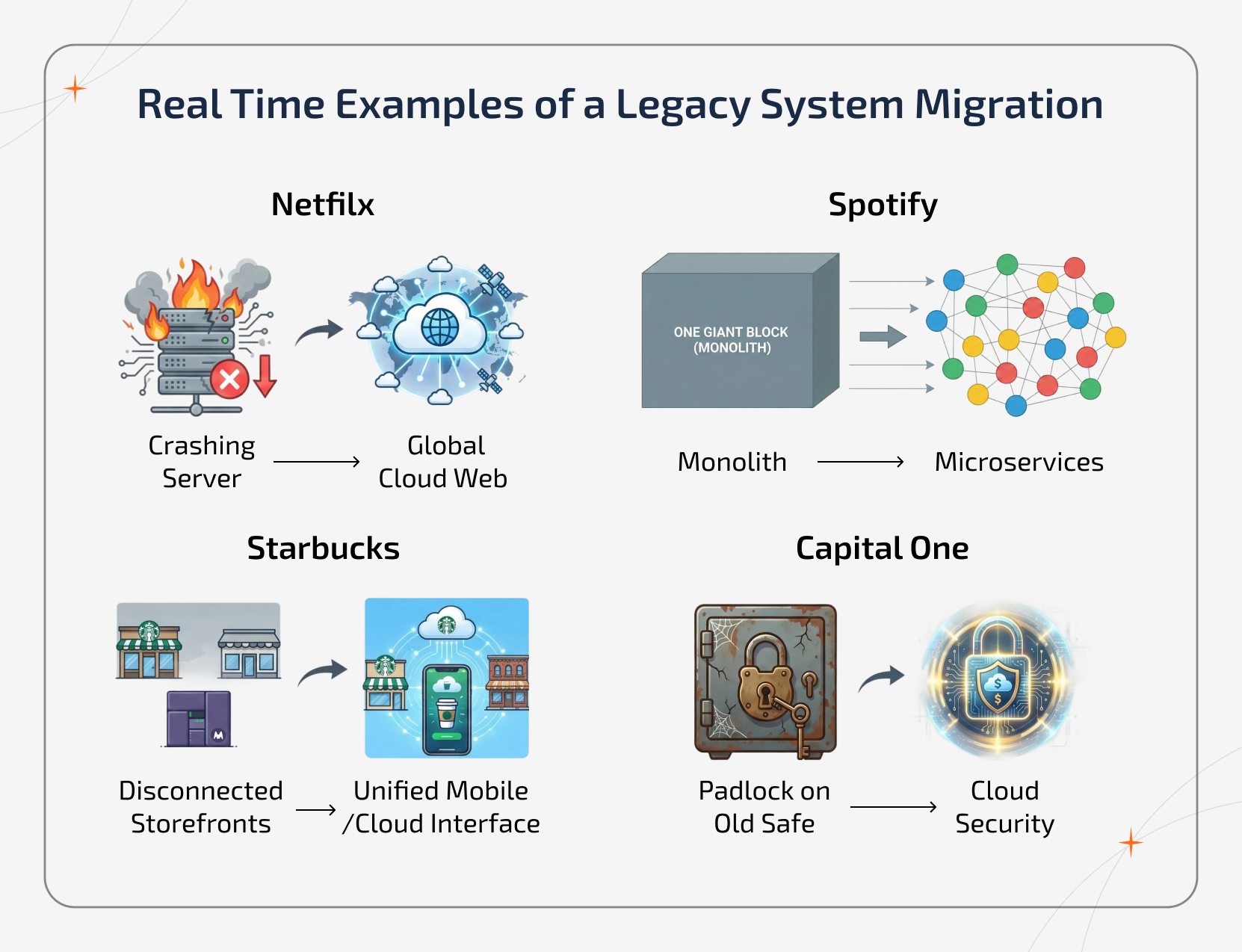
Legacy system migration is a real game-changer for businesses that are looking to stay competitive and efficient in this current landscape. Here are some of the leading examples:
🍿 Netflix
Back in the days, Netflix was juggling with huge old servers that kept acting up. So, they moved everything to the cloud infrastructure, which enables the platform to scale seamlessly and handle millions of simultaneous users.
🎵 Spotify
Spotify had this monolithic system that made implementing new features a total pain. To rectify this, they switched to microservers, which basically means every part of the application works independently. As a result, the company gets smooth streams, faster updates, and happy listeners everywhere.
🥤 Starbucks
Years back, Starbucks' old POS systems were messy across thousands of stores. Further, they modernized and moved some applications to the cloud. After that, the orders, inventory, and loyalty points work seamlessly and enhance customer experience.
💲 Capital One
Imagine dealing with a slow banking application that frustrates everyone, this is what Capital One faced back in the day. They migrated tons of their old systems to the cloud. To their surprise, the apps were faster, seemed more securem and they feel launching new features is way less stressful.
What Should You Budget For Migration?
Figuring out the money spent on migration isn't about just throwing money at tech. It's about knowing where every single penny goes, and nothing blows up halfway. Here's an approximate cost breakdown for 2026.
Budget Allocation by Activity
| Budget Item | Percentage of Total Budget |
|---|---|
| Planning & Assessment | 15% |
| Execution & Engineering | 50% |
| QA & Security Testing | 20% |
| Training | 15% |
Costs by Company & System Scale
| System Scale | Typical Cost Range |
|---|---|
| Small or single app | $5,000 - $25,000 |
| Mid-market app | $100,000 - $450,000 |
| Enterprise app | $1M - $3M |
Strategy-Based Estimate
| Migration Strategy (Top Ones) | Estimated Cost |
|---|---|
| Rehosting | $40,000 - $150,000 |
| Replatforming | $100,000 - $250,000 |
| Refactoring | $250,000 - $1M |
Legacy System Migration Challenges & How to Manage Them
Even though modernizing legacy applications and migrating it to the cloud brings advantages in hand, it does come with certain challenges. Those make it hard for some businesses to handle. Knowing the causes and their possible solutions can help you plan better and avoid surprises.
Data Loss or Corruption
Legacy systems usually have inconsistent formats and outdated databases. This makes the data vulnerable during the legacy app migration. Transferring large volumes of information can bring errors or gaps if not handled carefully.
Best Practice: Ensure to conduct through backups, validate data at every stage, and use automated immigration tools to prevent data loss using software modernization services.
Extended Downtime
As you know, modern systems are fragile and not designed especially for modern infrastructure. Migration can lead to unexpected interruptions, and any unplanned downtime might disrupt the regular operations and validate data at every stage.
Best Practice: Plan for a phased migration, schedule updates during the off-peak hours, and have emergency systems in your place.
Security Vulnerabilities
Unpatched security flaws might happen at times, as the legacy systems often run on unsupported platforms and outdated software. Migrating these issues without any proper security checks can expose users' sensitive data and lead to compliance risks.
Best Practice: Make sure you perform security audits, patch vulnerabilities, and implement robust access controls before the migration.
Budget Overruns
Underestimated complexity, hidden dependencies, and hidden technical challenges often cause costs to exceed the limit. Most of the old software systems always require specialized tools and expertise to make things work in the right way.
Best Practice: Create a detailed budget plan, track expenses in real-time, and prioritize high-impact systems first.
Resistance to Change
Most of the employees are stuck with the old workflow and might resist adopting the new one. This slows down the productivity and delays ROI. Lack of engagement and insufficient train training can escalate this risk.
Best Practice: Provide adequate training, communicate the benefits clearly, and involve key stakeholders early in the planning.
Best Legacy System Migration Practices
By implementing the right practices, businesses can reduce risk, prevent operational disruption, and make legacy application modernization sustainable. Here are some of the best practices that a business can implement to make the migration simple and easy.
Business Alignment
In a business, every system exists to support the business function, and not just IT operations. Binding technical components directly into areas, including billing, operations, and compliance, keeps the migration focused on real outcomes. This makes sure modernization actually boosts how the business runs.
Dependency Isolation
Legacy systems are often deeply tangled together, which makes them rigid. Untangling these connections makes the migration even smoother, safer, and much more predictable. If the systems can move on their own, moving them becomes less risky and easier to manage.
Migration Visibility
Legacy system migration shouldn't feel like working in the dark. With real-time monitoring, tracking, and logging, teams can understand what's happening in between. This actually makes the issues much easier to fix before they even turn into major disruptions.
Knowledge Preservation
The legacy system carries years of business logic that isn't mentioned anywhere. Any business that preserves this knowledge protects critical workflows, rules, and processes that businesses still rely on, even if the current technology shifts.
Change Readiness
If a business needs a successful migration, it depends on the employees as it does on platforms. When the teams are supported, trained, and included in the change, the new systems are adopted faster and used more effectively once the migration is complete.
How to Measure the Success of Your Legacy System Migration?
A successful migration isn't just proven only by go-live dates. It shows up in how smoothly the business operates, how quickly teams can adapt, and how confidently the organization can grow after the transition.
Here are the Success Indicators to Track:
- Less outages, incidents and emergency fixes across the whole operation.
- Faster system updates, releases, and development cycles.
- Higher confidence in reports, dashboards and business cycles.
- Easier scalability during growth phases.
- Robust operational continuity during changes.
- Improved system reliability under peak workloads.
- Natural user adoption without workloads or shadow systems.
- Minimized reliance on manual processes and legacy dependencies.
Does Legacy Data Migration Matter?
Legacy data migration is important, and it matters more than most organizations expect. While legacy system migration is about moving the applications and infrastructure, data migration from legacy system is about preserving the data that runs the business. When the data is incomplete or poorly migrated, even the most modernized systems will fail to deliver true value.
Data usually carries operational history, customer relationships, compliance records, and other sensitive ones. When migrated properly, organization can gain trust and confidence in its new platforms. If things get rushed, it leads to broken workflows, regulatory risks, and operational confusion.
A successful migration always depends on data quality as much as the system architecture. Clean and well-governed data ensures that modernization improves performance, decision-making, and scalability.
Why Choose Sparkout for Legacy System Migration?
Being one of the leading legacy system modernization companies, Sparkout delivers a structured, secure, and scalable legacy system migration built around business goals. Here are the main reasons why you need to choose Sparkout among others.
Business-First Migration Strategy
At Sparkout Tech, the experts treat migration as a business transformation and not just a technical shift. Each and every decisions are aligned with the operational goals, performance outcomes, and long-term needs.
Risk-Controlled Execution
With a structured migration approach, they minimizes the downtime, data loss, and operational disruption. This ensures business continuity while the systems are modernized safely.
Scalable Architecture Design
Sparkout builds future-ready tech systems with legacy system modernization services that are specifically designed to scale with business growth. Legacy system migration is planned by having long-term flexibility and expansion in mind.
Data-Centric Modernization
To them, data integrity, accuracy, and continuity are treated as core priorities. This ensures reporting, analytics, and business intelligence remain reliable even after the migration.
End-to-End Delivery Model
From initial assessment to execution and post-migration support, Sparkout manages the full migration lifecycle under a single structured framework, alongside application modernization services.
Final Thoughts
Besides just dragging down the businesses' technological advancement, it also slows down decisions, growth, and opportunity. By modernizing the legacy infrastructure, it creates space for speed, clarity, and control in how exactly the organizations operate and evolve.
When the legacy migration is executed with a proper structure and intent, it stops being a risky transition and becomes a platform for long-term momentum. The result isn't just a better system. But you'll get a stronger and more adaptable business built to move forward with confidence.
Ready to Modernize Without Breaking Your Business?
Start your legacy system migration with a strategy built for stability, scalability, and long-term growth.